
Modern Hall Effect keyboards are covered in performance terms: Rapid Trigger, adjustable actuation, SOCD, 8000Hz polling, scan rate, dynamic keystrokes and more. Some of these features can genuinely change how movement keys behave in competitive games; others are easy to overvalue when reading a specification sheet. This guide explains what each feature does, what it does not do, and how to decide whether it matters for your setup.
Why magnetic keyboards can do things normal switches cannot
A conventional mechanical switch normally registers around a fixed physical actuation point. A Hall Effect keyboard instead measures the position of a magnet as the key travels. Because the keyboard knows roughly how far the key has moved, supported firmware can change actuation and reset behaviour in software. That position sensing is what makes features such as adjustable actuation and Rapid Trigger possible.
| Feature | What it changes | Who should care most |
|---|---|---|
| Adjustable actuation | How far a key moves before activation | Players who want different sensitivity for movement and utility keys |
| Rapid Trigger | How quickly a key resets as it moves upward | Competitive FPS and rhythm-game players |
| SOCD / key priority | How opposing directional inputs are resolved | Advanced movement-focused players |
| Polling rate | How often keyboard reports to the PC | High-refresh competitive setups |
| Scan rate | How often keyboard checks its own keys | Performance-focused boards and low-latency implementations |
Rapid Trigger: the feature that changes key reset behaviour
Rapid Trigger removes the need to wait for a key to rise back past one fixed reset point. On supported magnetic keyboards, the key can reset dynamically as soon as it begins moving upward. That can make repeated presses and direction changes feel cleaner because the keyboard is responding to key movement rather than waiting for a traditional reset threshold.
 View Royal Kludge RK68 HE
The Royal Kludge RK68 HE is a useful current example. Its Mint Hall Effect switches support adjustable actuation from 0.1mm to 3.4mm, Rapid Trigger, SOCD functionality and up to 8000Hz polling. That combination is much more meaningful than simply advertising “magnetic switches,” because it tells you what the keyboard actually allows you to tune.
Adjustable actuation: faster is not always better
Adjustable actuation lets you decide how far a key must travel before it activates. A very shallow setting can make movement inputs react earlier, while deeper actuation can reduce accidental presses on keys you do not want triggering easily. The useful part is not setting every key to the smallest possible number—it is being able to tune different keys around how you actually play and type.
- Movement keys: often benefit from shallower actuation if you prefer very sensitive response.
- Utility or ability keys: may be better slightly deeper to reduce accidental activation.
- Typing: extremely shallow settings can create unwanted keystrokes for some users.
- Per-key profiles: useful when the software allows gaming and typing profiles to be saved separately.
SOCD, Snap Tap and key-priority features
SOCD stands for Simultaneous Opposing Cardinal Directions. In simple terms, it describes what happens when opposite movement keys—such as A and D—are pressed together. Some magnetic keyboards let the firmware decide which input wins, cancel both, or prioritize the latest key. Similar features may be marketed under names such as Snap Tap or last-keystroke priority.
What advanced magnetic keyboards add beyond Rapid Trigger
The Attack Shark X68Max HE combines adjustable magnetic actuation with Rapid Trigger, 8000Hz polling and additional key-priority functions. The Attack Shark R82 HE also targets the competitive segment with magnetic Hall Effect switches, Rapid Trigger and an 8000Hz polling rate. These products show why two Hall Effect keyboards can feel very different even when both use magnetic sensing—the firmware, tuning range, layout and chassis still matter.
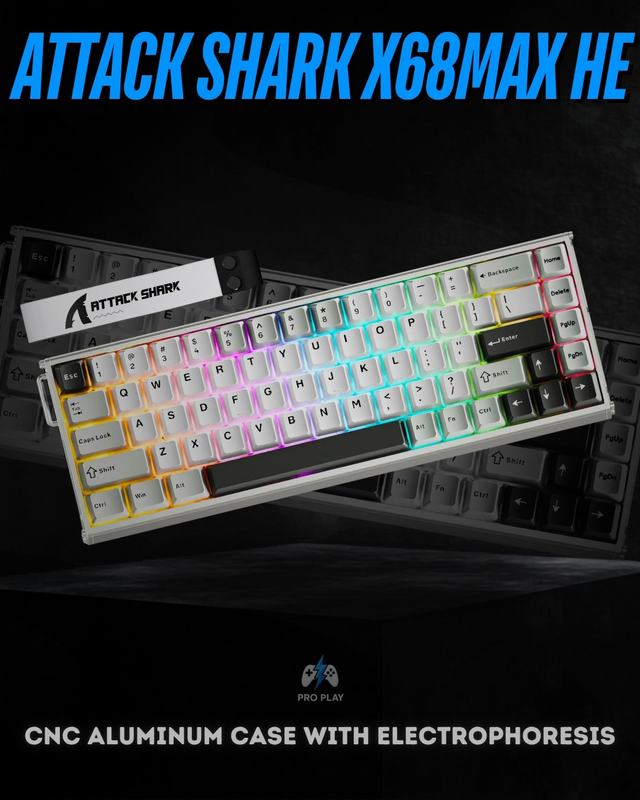 View Attack Shark X68Max HE
8000Hz polling rate: useful, but not the whole story
Polling rate describes how often the keyboard can report data to the computer. At 1000Hz the theoretical interval is about 1ms; at 8000Hz it is about 0.125ms. That does not mean an 8K keyboard automatically feels eight times faster. Firmware, scan behaviour, debounce logic, USB implementation, game frame rate and system latency all influence the final result.
If you want the timing explained in more detail, read our dedicated 1000Hz vs 4000Hz vs 8000Hz polling rate guide.
Scan rate and polling rate are not the same thing
The keyboard must first detect a change internally before it can report that change to the PC. Scan rate describes how frequently the board checks the key matrix or sensor system; polling rate describes how frequently it communicates with the computer. A high polling number is therefore most useful when the internal scanning and firmware are also fast enough to feed it fresh data.
The Madlions MAD68 HE is one example in the current catalogue that lists both an 8000Hz polling rate and a 32KHz scan rate. Those figures are useful context, but they still should not replace considerations such as layout, switch feel, software quality and whether you actually need competitive-level tuning.
Which magnetic keyboard features should you prioritize?
| Priority | Feature to focus on | Why |
|---|---|---|
| Competitive FPS movement | Rapid Trigger + adjustable actuation | Directly changes activation and reset behaviour |
| Directional input tuning | SOCD / key-priority controls | Changes how opposite movement inputs are resolved |
| High-refresh competitive setup | High polling + strong internal scan performance | Can reduce report intervals when the rest of the system is fast enough |
| Everyday mixed use | Layout + software profiles + reasonable actuation range | Makes the board easier to live with outside games |
| Long-term flexibility | Compatible magnetic hot-swap support | Can make switch replacement or experimentation easier |
What you do not need to chase
- The smallest actuation number just because it is smaller.
- The highest polling figure if the rest of your setup is not latency-sensitive.
- Every advanced movement feature if your games do not benefit from it.
- A magnetic keyboard purely because it is newer than mechanical technology.
- Marketing claims that do not explain the actual switch, firmware or tuning range behind them.
For the broader technology comparison, read Mechanical vs Hall Effect Keyboard — Which Is Better for Gaming?. You can also compare 75%, 65% and 60% layouts, browse current gaming keyboards, or see Attack Shark keyboards for more magnetic options.