
Mechanical and Hall Effect keyboards can look almost identical, but they register keypresses in different ways. A conventional mechanical switch closes physical contacts at a fixed point; a Hall Effect switch uses a magnet and sensor to measure key travel. That difference affects actuation, reset behaviour, switch choice and how much control you can have over movement inputs.
Mechanical vs Hall Effect at a glance
| What changes | Mechanical | Hall Effect |
|---|---|---|
| How input is detected | Physical switch contacts | Magnetic sensing of key travel |
| Actuation | Usually fixed by switch design | Often adjustable in software |
| Rapid Trigger | Normally unavailable | Common on gaming-focused HE boards |
| Switch choice | Very large ecosystem | Smaller magnetic-switch ecosystem |
| Best fit | Gaming, typing and mixed use | Competitive gaming and per-key tuning |
Why mechanical keyboards are still the better all-rounder
Mechanical keyboards remain excellent because they give you much more choice in feel. Linear switches move smoothly and are popular for gaming, tactile switches add a noticeable bump for typing and mixed use, while clicky switches add both tactile and audible feedback. Spring weight, keycaps, case construction and mounting style can change the experience even further.
- Huge choice of linear, tactile and clicky switches
- Hot-swap support is common on enthusiast-friendly boards
- Wireless and tri-mode options are widely available
- Often the easier choice for gaming, typing and everyday work on one keyboard
The Attack Shark K86 is a good example: it combines a 75% layout, hot-swap support and tri-mode connectivity. The AULA F75 follows the same all-round idea with a gasket structure, hot-swappable switches and wired, Bluetooth and 2.4GHz modes.
 View Attack Shark K86
Where Hall Effect actually changes the game
A Hall Effect keyboard measures how far a magnetic switch has travelled. On supported boards, that lets you choose how deeply a key must move before it activates. You can set movement keys very shallow for faster response while keeping other keys deeper to reduce accidental presses.
What should you compare on the actual product page?
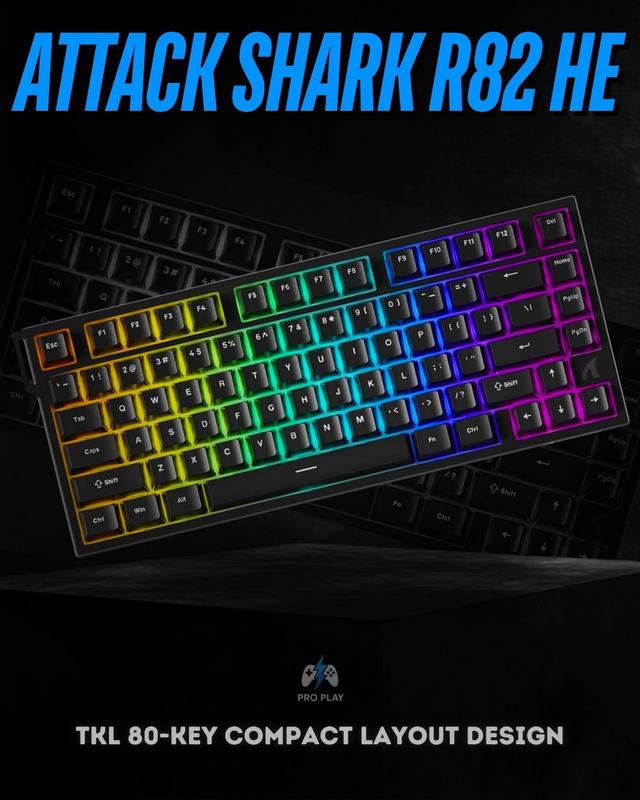
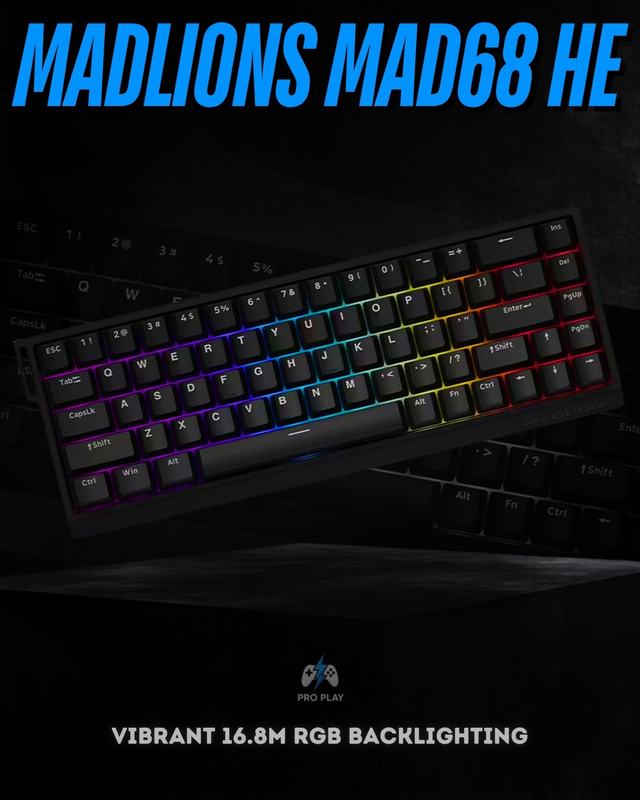
- Layout first: the 75% R82 HE and K86 retain a function row, while 65% models such as the MAD68 HE save more mouse space.
- Connection mode: the K86 and AULA F75 list wired, 2.4GHz and Bluetooth options; the R82 HE, MAD68 HE and Win68 HE Max are listed as wired models.
- Switch ecosystem: conventional hot-swap boards accept compatible mechanical switches, while magnetic-switch compatibility is specific to the Hall Effect PCB.
- Software controls: Rapid Trigger and adjustable actuation only help when the board software supports them and the settings are configured sensibly.
- Daily typing: switch feedback, stabilizers, keycaps and layout affect every sentence you type; polling rate does not.
The current ProPlay catalogue also shows how broad both groups have become. The Attack Shark R85 HE is a 75% Hall Effect alternative with an aluminium body, while the Ajazz AK680 MAX combines a compact 68-key format with magnetic switches. For conventional mechanical use, the Keychron V1 emphasizes hot-swap support and QMK/VIA customization. These are not interchangeable purchases: each solves a different combination of layout, switch technology, construction and connectivity.
Rapid Trigger is the real reason competitive players care
Rapid Trigger changes the reset behaviour of a key. Instead of waiting for the switch to return past a fixed reset point, the key can reset as soon as it begins moving upward. In movement-heavy shooters, that can make repeated strafing and direction changes feel cleaner. The benefit is real, but it is most noticeable on a responsive PC with high and stable frame rates—and only when the settings suit the player.
 View Madlions MAD68 HE
Current examples include the 75% Attack Shark R82 HE, compact Madlions MAD68 HE and AULA Win68 HE Max. All three are positioned around magnetic switches and rapid-response gaming features, but their layouts are different. That matters: a keyboard that is theoretically faster is still a poor choice if it removes keys you use every day.
Which one should you actually buy?
- Choose Hall Effect if you mainly play competitive FPS games and want adjustable actuation or Rapid Trigger.
- Choose mechanical if you want more switch choices, wireless flexibility or one keyboard for both gaming and typing.
- Do not choose Hall Effect only because a specification says 8,000Hz; layout, comfort and the quality of the whole keyboard still matter.
- If you are unsure, a good mechanical keyboard is the safer all-round purchase; Hall Effect makes the most sense when you know why you need its extra controls.
Neither technology is automatically superior for everyone. Start with how you actually use the keyboard, then compare current gaming keyboards. If layout is your next question, read our 75% vs 65% vs 60% keyboard guide.