
What actually makes a keyboard competitive?
A competitive keyboard should register input reliably, fit the keys your games require and leave enough room for comfortable mouse movement. Hall Effect features can improve repeated movement inputs, but they are not a substitute for a stable PC, consistent frame rate or a layout you can use without hesitation.
- Low latency: input processing should be fast and consistent, not merely advertised with a large number.
- Reliable input: NKRO, stable switches and sensible software matter during simultaneous keypresses.
- Suitable layout: keep the controls your games use while freeing enough mouse space.
- Rapid Trigger where useful: valuable for repeated directional input in competitive shooters.
- Good mouse space: especially important for players using low sensitivity and large aiming movements.
Our current competitive picks
| Keyboard | Position | Layout | Key technology |
|---|---|---|---|
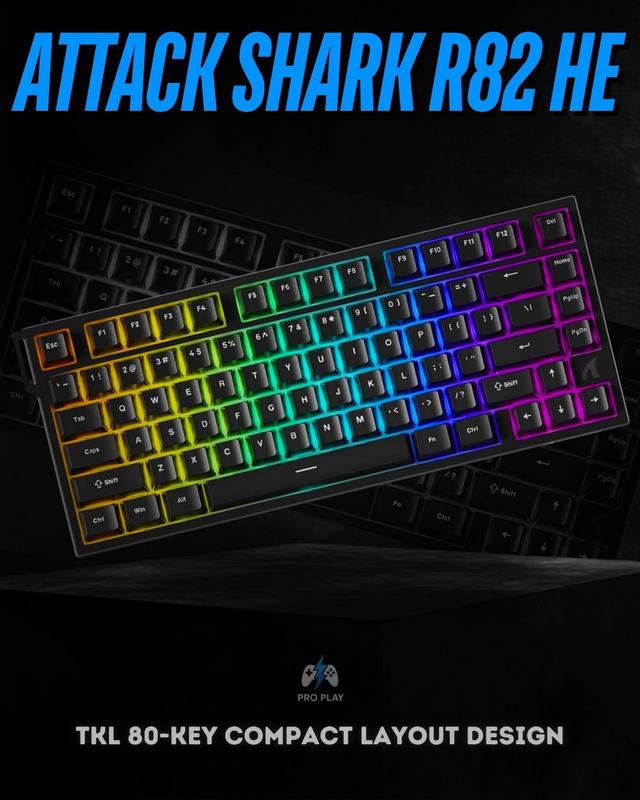
| Attack Shark R82 HE | Best overall value | 75%, 80 keys | Magnetic Hall Effect |
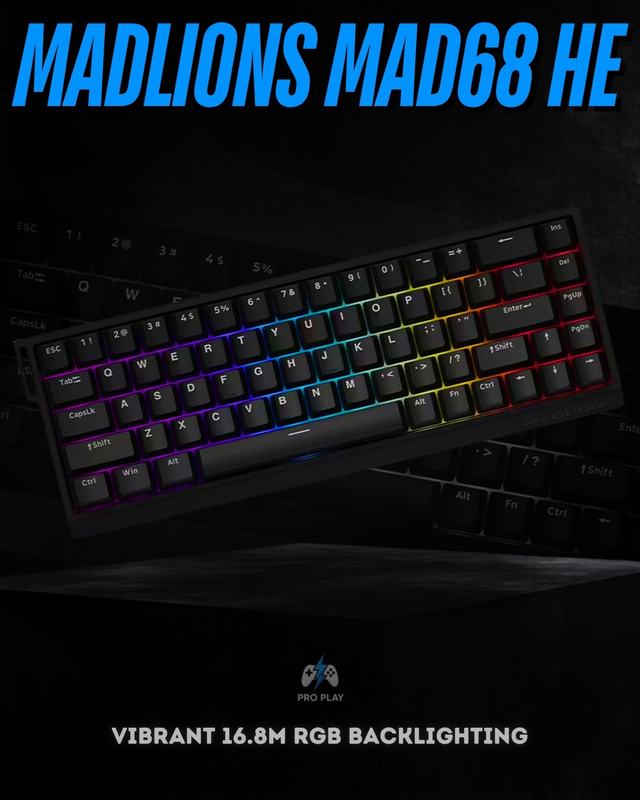
| Madlions MAD68 HE | Best compact option | 65%, 68 keys | Magnetic Hall Effect |
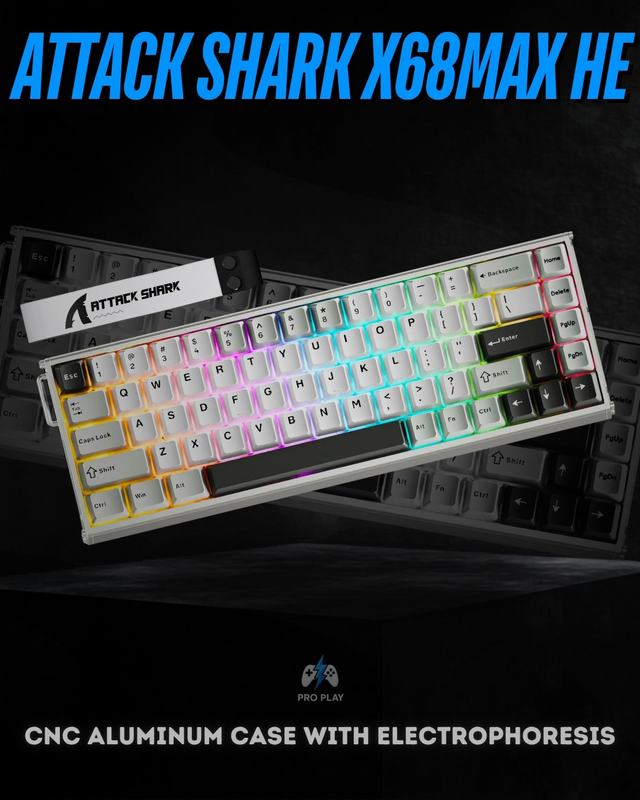
| Attack Shark X68Max HE | Premium compact option | 65%, 68 keys | Magnetic Hall Effect |
| AULA Win68 HE Max | Balanced HE alternative | 65% | Magnetic Hall Effect |
| Corsair K65 RGB MINI | Traditional mechanical option | 60% | Cherry MX Speed Silver |
1. Attack Shark R82 HE — best overall value
The Attack Shark R82 HE is the most balanced choice here because its 75% layout keeps a dedicated function row and useful navigation controls. Players moving from a full-size or TKL board sacrifice less everyday convenience than they would with a 60% design, yet the keyboard remains compact enough to create additional mouse room.
Its current product record lists magnetic switches, adjustable actuation, Rapid Trigger, an 8,000Hz polling rate and wired connectivity. Adjustable actuation lets movement keys use a shallower trigger while other keys remain deeper to reduce mistakes. Rapid Trigger can reset a key as it begins moving upward, helping repeated left-right inputs feel cleaner. These functions are most useful for competitive FPS players who will actually configure them; standard settings remain perfectly usable for other games.
2. Madlions MAD68 HE — best compact option
The Madlions MAD68 HE uses a 68-key 65% layout. It removes the dedicated function row but retains arrow keys, making it significantly narrower than 75% while avoiding the most restrictive part of a 60% arrangement. That extra room is valuable for low-sensitivity players who make wide mouse movements.
The current record lists magnetic switches, Rapid Trigger and 8,000Hz polling. It targets the same competitive movement advantages as the R82 HE in a smaller body. Choose it if function keys can comfortably live behind an Fn layer and desk space is more important than dedicated controls. For study or productivity, check your use of F-keys before committing to the smaller layout.
 View Madlions MAD68 HE
3. Attack Shark X68Max HE — premium compact option
The Attack Shark X68Max HE is also a 68-key Hall Effect keyboard, but its CNC aluminium case gives it a more substantial premium construction. The current record lists magnetic linear switches and an 8,000Hz polling rate. It is the model to consider when you want compact competitive features and place greater value on a metal enclosure and more premium physical presentation.
A heavier aluminium keyboard does not make the input faster, but it can feel more rigid on the desk. The same layout warning applies: arrows remain, while the function row moves to layers. Buy it for the combination of build and compact Hall Effect controls—not because aluminium alone improves gaming performance.
 View Attack Shark X68Max HE
Other strong options
The AULA Win68 HE Max is a balanced 65% Hall Effect alternative. Its current record lists Rapid Trigger, wired connectivity and 8,000Hz polling. Compare its price, software and switch feel with the other 68-key models. The Corsair K65 RGB MINI takes a different route: it is a 60% wired mechanical keyboard with Cherry MX Speed Silver switches and 8,000Hz polling. It lacks adjustable Hall Effect actuation but suits players who prefer conventional linear switches and can use layered arrow and function commands.
Do you actually need Hall Effect?
No. Competitive gaming does not require Hall Effect. Mechanical keyboards have supported professional and high-level play for years, and a reliable mechanical switch can register every intended input quickly. Hall Effect becomes useful when a game rewards rapid direction changes and the player wants to tune actuation and reset behaviour. The advantage is specific rather than universal.
For tactical shooters, Rapid Trigger and shallow movement actuation can be worthwhile. For MOBAs, strategy games, racing, general PC gaming or mixed typing, layout and switch comfort may matter more. Extremely sensitive settings can also create accidental presses. Begin with moderate values and adjust only after testing rather than copying another player's configuration.
Match the keyboard to the games you actually play
| Your main use | Prioritize | Current ProPlay example |
|---|---|---|
| Competitive FPS | Rapid Trigger, adjustable actuation, mouse room | Madlions MAD68 HE |
| FPS plus study or work | Hall Effect controls with a function row | Attack Shark R82 HE |
| Premium compact build | Magnetic switches and aluminium construction | Attack Shark X68Max HE |
| Mixed gaming and typing | Conventional switches, hot-swap, wireless flexibility | Attack Shark K86 |
| Minimal conventional setup | 60% layout and fast linear mechanical switches | Corsair K65 RGB MINI |
For most buyers in Pakistan, value also includes condition, warranty, software access and whether replacement switches or keycaps will be easy to source. Confirm the current product-page details before ordering because catalogue availability and condition can change. Buyers who want broader mechanical options can compare Attack Shark keyboards, Ajazz keyboards and AULA keyboards rather than treating every competitive feature as Hall Effect-only.
If switch technology is still unclear, read Mechanical vs Hall Effect Keyboard. If physical size is the difficult decision, use the 75% vs 65% vs 60% Keyboard guide.