
If a full-size keyboard feels too wide, the real question is not simply how small you can go—it is which dedicated keys you are willing to give up. A 75%, 65% and 60% keyboard can all save meaningful desk space, but they remove different controls and therefore suit different users.
75% vs 65% vs 60% at a glance
| Layout | Function row | Arrow keys | Desk space | Best fit |
|---|---|---|---|---|
| 75% | Dedicated | Dedicated | Good | Gaming, study and work |
| 65% | Fn layer | Dedicated | Very good | Compact gaming with practical arrows |
| 60% | Fn layer | Usually Fn layer | Maximum | Minimal FPS setups and portability |
Before choosing, think about the keys you actually use in a normal week: F1–F12, arrows, Delete, Home, End and Page Up/Page Down. If you constantly reach for them, going smaller can become annoying very quickly. You can browse the current keyboard collection while comparing the examples below.
75%: the easiest compact layout to live with
A 75% keyboard keeps the number row, function row, dedicated arrows and a compressed group of navigation keys. It mainly removes the numpad and the empty spacing found on larger boards. That is why 75% is often the best first compact keyboard: you gain mouse room without giving up many everyday controls.
The AULA F75 is a strong example for users who want a gasket-mounted, tri-mode board, while the Attack Shark K86 offers another 75% mechanical option with hot-swap support and wireless flexibility. If you prefer browsing by brand, see AULA keyboards or Attack Shark keyboards.
- Best for users moving down from full-size or TKL
- Keeps the function row and arrow keys
- Good balance between gaming space and productivity
- Usually the safest compact choice if you are unsure
65%: the gaming sweet spot for many users
A 65% keyboard usually removes the function row but keeps dedicated arrow keys and a few navigation controls along the right side. That makes the board noticeably narrower than 75% while avoiding one of the biggest compromises of 60% layouts: losing the arrow cluster.
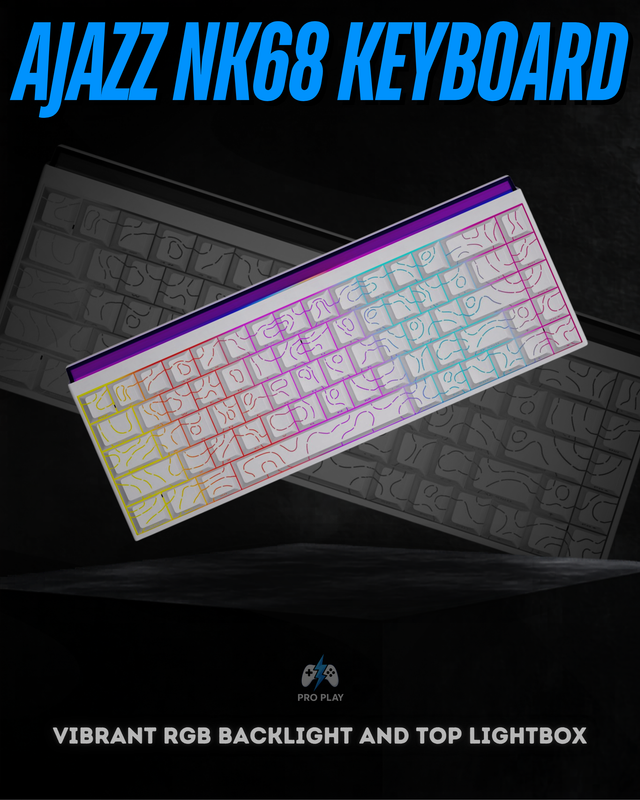
The Ajazz NK68 uses a compact 68-key layout with dedicated arrows and NKRO, while the Madlions MAD68 HE uses a similar footprint but adds magnetic switches, Rapid Trigger and high-polling competitive features. The size may be similar, but the switch technology and intended use are very different. You can also browse Ajazz keyboards for more models from the same brand.
60%: maximum mouse space, maximum compromise
The hidden cost of smaller layouts: function layers
A missing key is not usually gone from the keyboard firmware; it moves behind an Fn combination. That is fine for commands used occasionally, but frustrating for keys pressed repeatedly. A 60% board can be excellent for Valorant or Counter-Strike while feeling slow for spreadsheets, coding shortcuts or games with many function-key commands. A 65% layout restores dedicated arrows, and 75% restores the function row, which is why these two sizes are often easier as a single keyboard for both study and gaming.
ProPlay’s current catalogue gives useful real examples. The AULA F75 and Attack Shark K86 serve buyers who want 75% mechanical flexibility and wireless modes. The wired Ajazz NK68 is a straightforward 65% option with NKRO, while the Madlions MAD68 HE uses the same broad size category for competitive Hall Effect features. At 60%, HyperX Origins 60 and Corsair K65 RGB MINI prioritize mouse space and a minimal footprint.
- Measure the width available between your PC or laptop and mouse area.
- Write down every dedicated key you used during one normal day.
- Choose 75% when uncertain; it removes less while still saving space.
- Choose 65% when arrows matter but the function row does not.
- Choose 60% only when you are comfortable using Fn layers regularly.
A 60% keyboard removes the function row, dedicated arrow cluster and most navigation keys. Those commands still exist, but they move behind Fn combinations. The result is the smallest footprint of the three and the most room for your mouse.
That is useful for competitive players who use low sensitivity, travel with their setup or deliberately prefer layered shortcuts. It is less convenient if you edit text frequently, use F-keys often or dislike memorizing secondary commands.
/15_20260417_080235_0014.png?width=640&height=800&quality=76&resize=cover) View HyperX Origins 60
View HyperX Origins 60The HyperX Origins 60 is a compact mechanical example with an aluminum body, while the Corsair K65 RGB MINI combines a 60% layout with CHERRY MX Speed switches and high polling. Both target users who intentionally want a very small board rather than simply buying the smallest option available.
So which layout should you buy?
- Choose 75% if you want compact size without losing the function row or arrows.
- Choose 65% if dedicated arrows matter but you are comfortable putting F1–F12 behind an Fn layer.
- Choose 60% if mouse room and portability matter more than direct access to secondary keys.
Layout should usually be decided before switch technology. Once you know which keys you need, continue with our Mechanical vs Hall Effect Keyboard guide to decide how those keys should register.