
Choosing a mechanical keyboard becomes easier when decisions are made in the right order. Start with the keys you need, then choose switch feel and connectivity. Features such as hot-swap support, case construction and keycaps should refine that decision—not distract from it.
Step 1 — Choose the layout
Full-size keyboards include a number pad, function row, arrows and navigation cluster. They suit regular spreadsheet or numerical work but take the most desk space. TKL removes only the number pad, retaining nearly every gaming and navigation key. It is a comfortable transition from full size when you want more mouse room without learning many shortcuts.
A 75% layout compresses the function row, arrows and navigation keys into a tighter body. The AULA F75 is an example. A 65% board removes the dedicated function row but normally retains arrows; the 68-key Ajazz NK68 shows this balance. A 60% board removes dedicated arrows and most navigation controls as well. Choose the smallest layout only after checking which keys you use daily.
Step 2 — Choose your switch feel
Mechanical switches vary in spring weight, travel and feedback. Colour names are not perfectly consistent across every manufacturer, so use the stated switch type and specification rather than assuming all switches with one colour feel identical.
| Switch style | How it feels | Best suited to | Potential drawback |
|---|---|---|---|
| Linear | Smooth travel without a bump | Fast gaming and users who prefer consistent presses | Very light versions can cause accidental input |
| Tactile | A noticeable bump during the press | Typing and mixed gaming | Bump strength varies greatly |
| Clicky | Tactile bump plus audible click | Users who want strong feedback | Can be too loud for shared spaces |
Linear switches are popular for gaming, but tactile switches are not slow or unsuitable. Comfort and consistency matter more than following a colour trend. If possible, test a switch before buying or choose a hot-swappable board that leaves room to change later.
Step 3 — Decide whether hot-swap matters
A hot-swappable keyboard lets compatible switches be removed and replaced without soldering. This makes it easier to repair one failed switch, try a different feel or customize selected keys. It is valuable flexibility, although it does not guarantee compatibility with every switch: pin layout and switch technology still need to match the PCB.
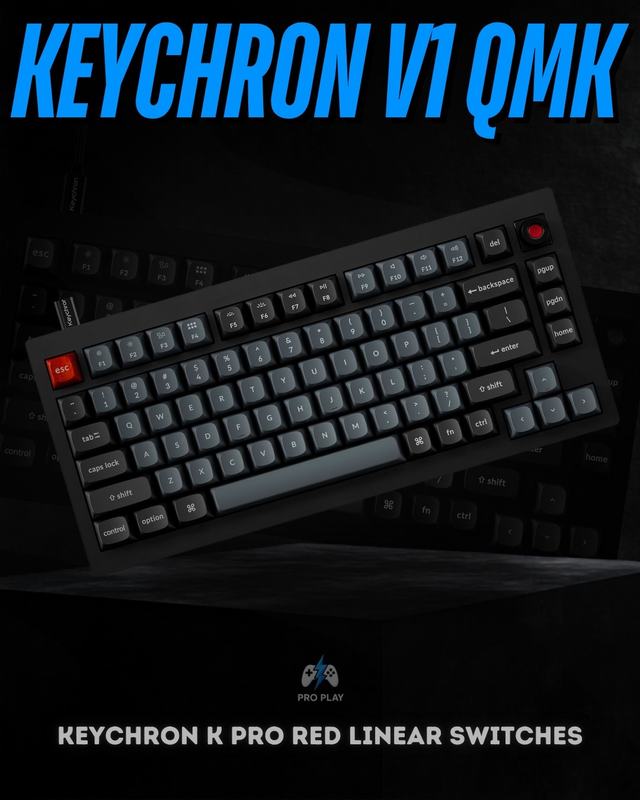
The Keychron V1 lists hot-swap support together with QMK/VIA programmability in its current product record. Its 75% layout also retains function and arrow keys, making it a useful example of a board designed for longer-term customization rather than only visual changes.
Step 4 — Wired, 2.4GHz or Bluetooth?
A wired connection is simple, stable and never needs charging. It is an easy choice for a keyboard that remains at one desk. A 2.4GHz wireless connection uses a dedicated receiver and is generally the preferred wireless mode for gaming because it is designed for lower latency than ordinary Bluetooth implementations.
Bluetooth is useful for laptops, tablets and switching between devices, but it is not always the best competitive mode. Tri-mode keyboards combine cable, 2.4GHz and Bluetooth, giving the greatest flexibility while adding battery management and another receiver to track. Choose based on where the keyboard will be used, not simply because more modes appear better on a product page.
Step 5 — Look at build, keycaps and acoustics
Mounting style affects how the plate and PCB are supported. A gasket-mounted board can provide a softer, more cushioned feel, while conventional tray-style construction often feels firmer. Neither is automatically superior. Internal foam can reduce hollowness and change pitch, but good switches and stabilizers remain more important than the number of foam layers.
Stabilizers support larger keys such as Space, Enter and Shift; poorly tuned stabilizers can rattle even when the switches feel excellent. Keycap material also matters. PBT generally resists surface shine better over time, while ABS can provide crisp colours and legends but may develop shine sooner. Profile, thickness and legend quality affect daily use as much as material.
Before you buy, check these five things
- Layout: are the keys you use available directly?
- Switch type: do you prefer linear, tactile or clicky feedback?
- Connectivity: wired, 2.4GHz, Bluetooth or a combination?
- Hot-swap: will you repair or experiment with switches later?
- Build and keycaps: do the mounting, stabilizers and materials match your priorities?
Use the current catalogue to narrow the shortlist
After deciding your requirements, filter the catalogue instead of comparing every keyboard. A buyer wanting 75%, hot-swap and wireless flexibility can examine the Attack Shark K86, AULA F75 and Ajazz AK820 Pro. Someone who wants a wired 65% board with straightforward NKRO can look at the Ajazz NK68. A compact custom-focused buyer can compare these against the Keychron V1 and its QMK/VIA support.
Also check the stated condition on the product page. Some catalogue items may be brand new while others are open-box or supplied without the original box. Condition does not determine keyboard performance by itself, but it affects what is included, cosmetic expectations and value. Use the live product record as the source of truth rather than assuming every listing from one brand has identical packaging.
- Confirm the exact layout and key count from the product page.
- Check whether the listed switches are linear, tactile, clicky or magnetic.
- Verify wired, 2.4GHz and Bluetooth modes rather than assuming tri-mode.
- Look for hot-swap support only if you plan to repair or customize switches.
- Compare keycap material, mounting style, stabilizers and included accessories.
- Check current availability, condition and product-page specifications before ordering.
Browse gaming keyboards in Pakistan, or narrow the collection to Attack Shark keyboards, Ajazz keyboards and AULA keyboards.