
Shared and Private give access to the same underlying Game Pass subscription benefits, but the way the supplied account is allocated and used is different. Your decision should be based on budget, platform, and how much control you need—not on the size of the game catalogue.
What Shared and Private mean
| Option | What it means | Best for |
|---|---|---|
| Shared | Value-focused access that must be used exactly according to the supplied instructions | Customers prioritising price and mainly using standard Game Pass titles |
| Private | The account is reserved for your use on the platform selected and is not shared with another customer on that same platform | Customers who want more control and a smoother platform-specific experience |
Shared vs Private on PC
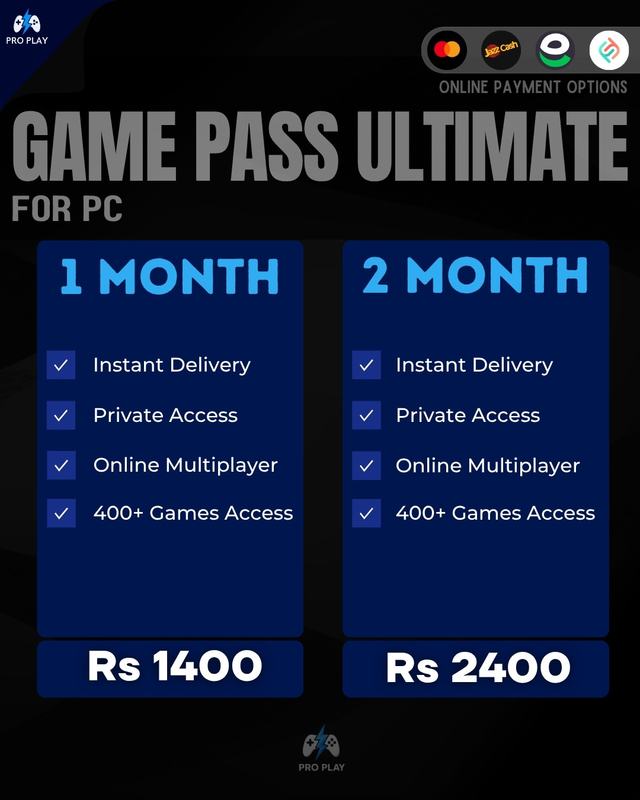
PC Shared is the lower-cost option and works best when you primarily use games launched directly through the Xbox app. PC Private is recommended when you want the account reserved for your PC use or expect to use EA Play and other third-party launchers more regularly. Third-party access and save data can be less consistent on Shared access.
Shared vs Private on Console
Console Shared is the value option and must be used according to its package instructions. Console Private gives you the important Home Xbox benefit: you can make the supplied account Home Xbox on your console, then play from your main profile while retaining that profile's achievements and progress.
Choose Shared if
- Your main priority is the lower price.
- You are comfortable following the account usage instructions exactly.
- You do not need cloud gaming.
- On PC, you mainly plan to play Xbox app titles rather than rely heavily on third-party launchers.
Choose Private if
- You want the account reserved for your use on the selected platform.
- On PC, you want the more stable choice for third-party launcher use.
- On Console, you want Home Xbox and prefer playing from your main profile.
- You value control and convenience more than the lowest possible price.
Rules apply to both options
- Do not change supplied credentials or account security information.
- Do not use a VPN, proxy, or cloud gaming.
- Avoid repeated wrong passwords and conflicting sign-in attempts.
- Contact ProPlay support when an account issue appears instead of attempting unsupported changes.
- Verified service-side issues can be resolved by replacement or refund; misuse or prohibited activity is not covered.