What does the AULA S75 Pro's 75% layout include?
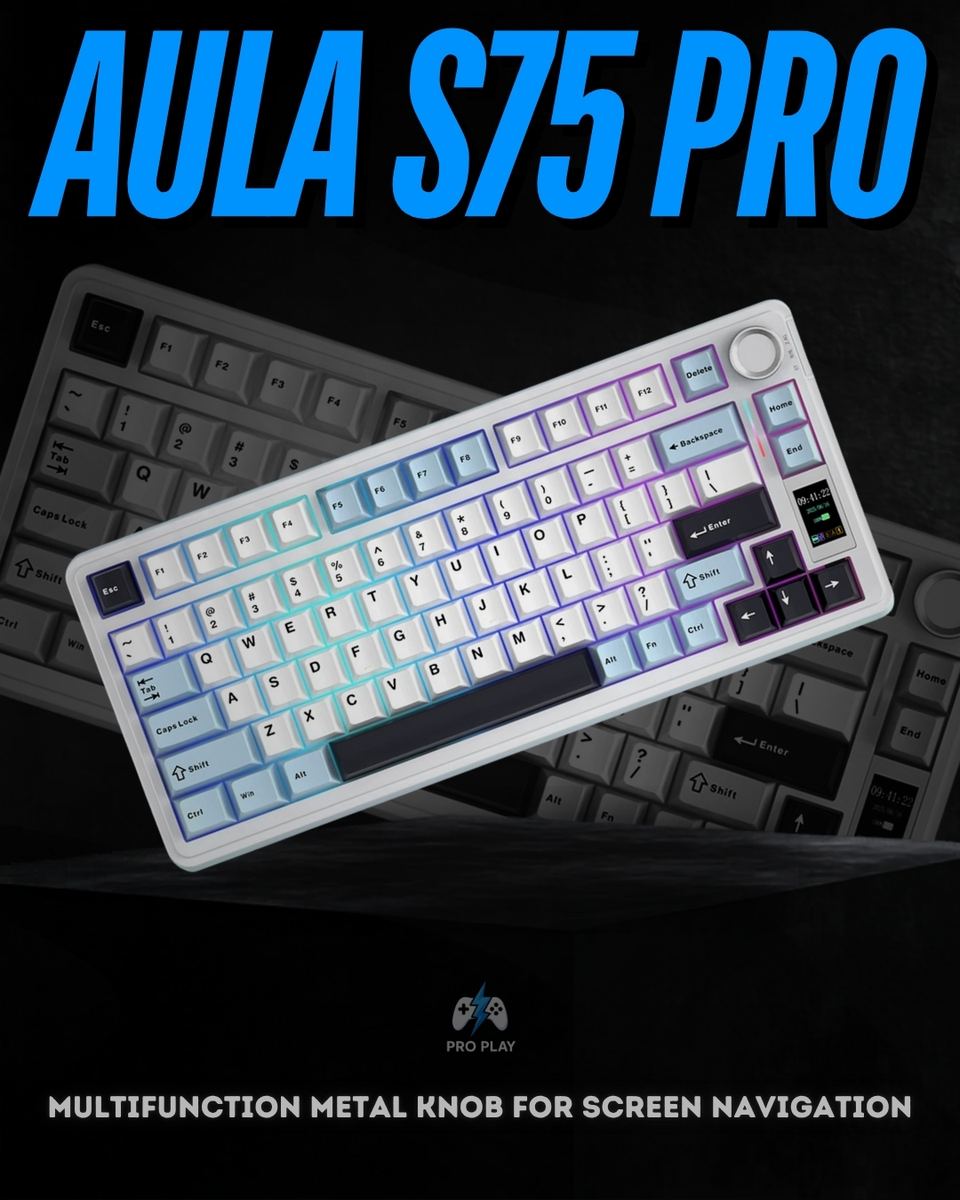
The compact layout retains a dedicated function row, arrow keys and selected navigation keys while removing the separate number pad. It suits users who want more desk space without relying on shortcuts for everyday arrow-key and function-key access.
How does the AULA S75 Pro connect to a computer or mobile device?
It supports USB-C wired connectivity, 2.4GHz wireless through the supplied receiver and Bluetooth 5.0. Choose the connection supported by your device. The manufacturer specifies a 1000Hz polling rate for the 2.4GHz wireless connection.
Can I switch between multiple Bluetooth devices?
Yes. The S75 Pro provides three Bluetooth pairing slots, allowing you to switch between paired devices. These are separate from its 2.4GHz receiver and wired connection. It sends keyboard input to the currently selected device rather than typing on all devices simultaneously.
What can the TFT screen display?
The screen supports custom GIFs, date and time, battery indication and keyboard settings menus. It works with the knob to provide access to functions such as lighting and system settings. Custom content setup may require the supported Windows driver.
What does the metal knob control?
The knob can navigate screen-menu options and confirm selections when pressed. It also supports a volume-control mode. Its function depends on the selected mode, so refer to the included manual when switching between screen controls and volume adjustment.
Are the AULA S75 Pro's switches hot-swappable?
Yes. Compatible mechanical switches can be removed and replaced without soldering. This allows you to change typing feel or replace an individual switch. Check replacement-switch compatibility before purchasing; hot-swappable does not mean every mechanical, optical or magnetic switch will fit.
What is the benefit of its gasket-mounted construction?
Gasket mounting uses cushioning at mounting points within the keyboard assembly. It can soften the typing feel and influence how vibration travels through the case. The final feel and sound also depend on the installed switches, keycaps and typing force.
Does the AULA S75 Pro work with Mac, iPhone and Android devices?
AULA lists compatibility with Windows, macOS, iOS and Android. Your device must support the connection method you choose. The configuration driver is Windows-only, so compatibility for everyday typing should not be confused with full software-customization support on every operating system.
How long does the battery last?
The S75 Pro has a 4000mAh rechargeable battery. AULA estimates approximately 30 hours with backlighting enabled and 80 hours with backlighting disabled. These are manufacturer estimates; actual runtime varies with lighting settings, connection mode and usage.
Can I customize the RGB lighting?
Yes. The keyboard includes RGB key backlighting and surrounding light bars. Supported shortcuts and controls adjust lighting effects, color, brightness and speed. The Windows software provides additional lighting options, including music-reactive effects.
Is the AULA S75 Pro a Hall Effect keyboard with Rapid Trigger?
The S75 Pro is a conventional mechanical keyboard. The verified specifications do not establish Hall Effect switches, adjustable magnetic actuation or Rapid Trigger, so those features should not be assumed from its hot-swappable design.
Is the AULA S75 Pro silent?
It should not be treated as a guaranteed silent keyboard. Typing noise depends on the installed switch variant, keycaps, desk surface and how firmly you press the keys. Gasket mounting can affect sound and feel, but it does not make every switch silent.
What is included in the box?
The listed package contains the keyboard, a USB-C cable, a 2.4GHz wireless dongle, a keycap and switch puller, two extra switches and a user manual.

/15_20260417_080235_0014.png?width=400&height=500&quality=75&resize=cover)
.png?width=400&height=500&quality=75&resize=cover)
/4_20260417_080234_0003.png?width=400&height=500&quality=75&resize=cover)