What layout does the AULA F75 Max use?
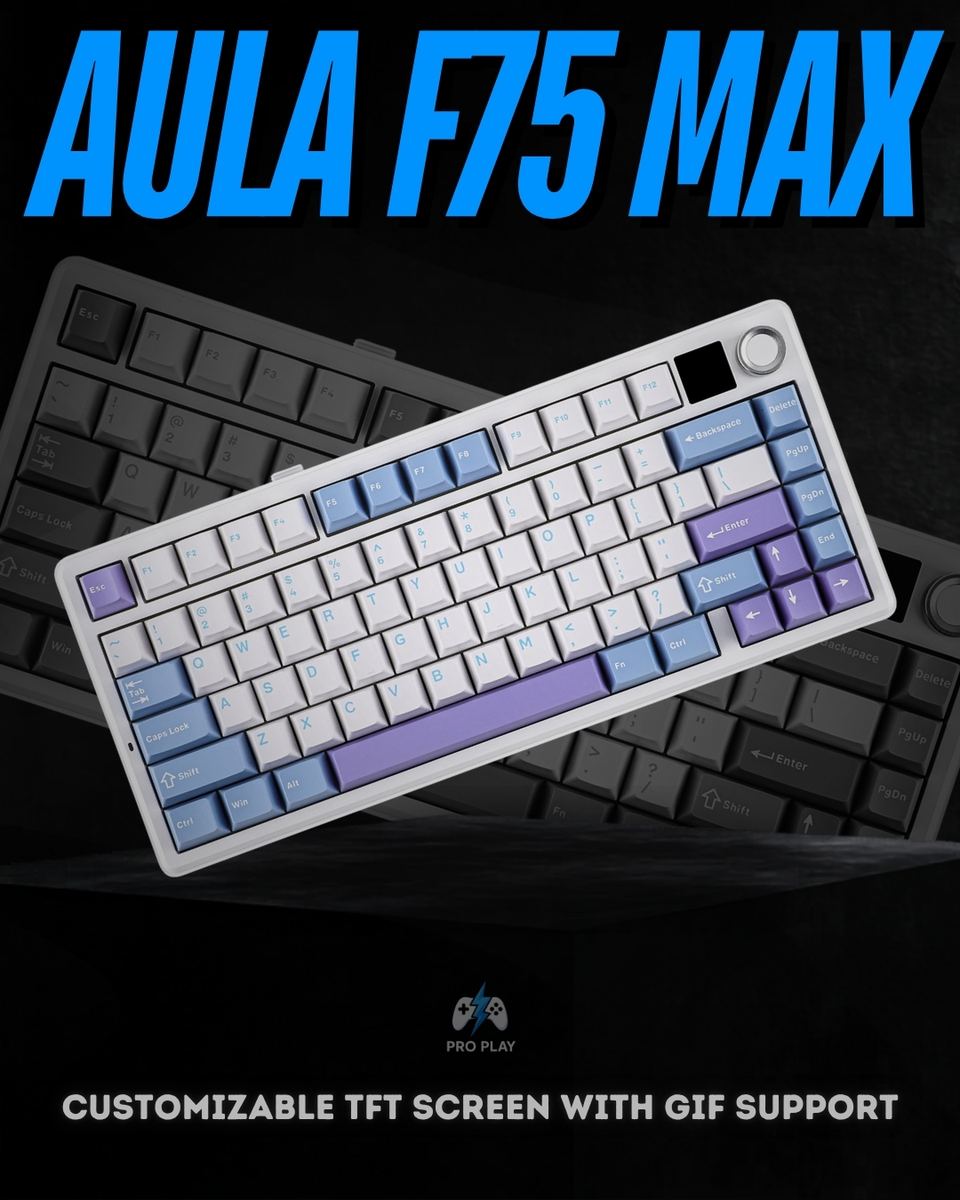
The F75 Max uses a compact 75% ANSI US layout with 80 keys, a metal knob and a TFT screen. It retains dedicated arrow keys and a function row but removes the number pad, leaving more room for mouse movement.
How does the AULA F75 Max connect to a computer?
It supports USB-C wired, 2.4GHz wireless through the included receiver, and Bluetooth 5.0. Wired and 2.4GHz modes offer 1000Hz polling, while Bluetooth operates at 125Hz.
Which connection mode should I use for gaming?
USB-C or 2.4GHz is the more suitable choice for gaming because both support 1000Hz polling. Bluetooth is convenient for everyday wireless typing but has a lower 125Hz polling rate. Polling rate describes how often the keyboard reports input; it is not the same as total input latency.
What can the TFT screen display?
The screen supports custom GIFs, battery information, connection status and lighting settings. It adds a visible status display and a way to personalize the keyboard. Custom screen content is configured through the supported software.
What switches does this AULA F75 Max version use?
This version uses factory-lubricated LEOBOG Reaper linear switches. Their smooth travel has no intentional tactile bump, with a specified actuation force of 45 ± 3gf, pre-travel of 1.8 ± 0.3mm and total travel of 3.6 ± 0.3mm.
Can I replace the switches without soldering?
Yes. The hot-swappable sockets accept compatible 3-pin and 5-pin mechanical switches, allowing changes to typing feel and sound without soldering. This does not mean that optical, low-profile or Hall Effect magnetic switches are compatible.
Does the AULA F75 Max support Hall Effect or Rapid Trigger?
No. This F75 Max configuration uses conventional mechanical switches with a fixed actuation point. It does not provide Hall Effect sensing, adjustable magnetic actuation or Rapid Trigger.
How do the gasket mount and dampening layers affect typing?
The gasket mount and partially flex-cut polycarbonate plate allow some cushioning during key presses. Five internal layers help manage vibration and case resonance. The resulting feel and sound also depend on the switches, keycaps, desk surface and typing force.
Is the AULA F75 Max a silent keyboard?
It is not a silent keyboard. Its lubricated linear switches and internal dampening help shape the sound, but key presses and bottoming out remain audible. Buyers who need very quiet operation should consider compatible silent mechanical switches.
How long does the battery last?
The 4000mAh battery is advertised for approximately 30.5 hours with the backlight enabled or 80 hours with it disabled. These are manufacturer estimates; actual runtime depends on lighting settings, connection mode, screen use and usage conditions.
Does it work with macOS, Linux and Android?
The keyboard lists compatibility with Windows, macOS, Linux and Android. Its configuration software is Windows-only, so keyboard compatibility on another operating system does not mean the customization application runs there.
Can I customize the keys and RGB lighting?
Yes. The supported Windows software provides key remapping, macro editing and RGB customization. The keyboard has south-facing per-key RGB, with lighting adjustments also available through its onboard controls.
What keycaps come with the F75 Max?
The specified configuration uses double-shot PBT keycaps in Cherry profile. When buying replacement keycaps, check that the set includes the correct key sizes for its 75% layout.
Does the AULA F75 Max have a metal case?
No. It uses an ABS plastic case and a polycarbonate plate. The control knob is metal. The keyboard measures approximately 328 × 143 × 44mm and weighs around 960g.
What is included in the box?
The listed package includes the F75 Max keyboard, a 2.4GHz wireless receiver, USB-C cable, a combined keycap and switch puller, and a user manual.

/15_20260417_080235_0014.png?width=400&height=500&quality=75&resize=cover)
.png?width=400&height=500&quality=75&resize=cover)
/4_20260417_080234_0003.png?width=400&height=500&quality=75&resize=cover)