What are the main features of the Attack Shark RS3 Ultra?
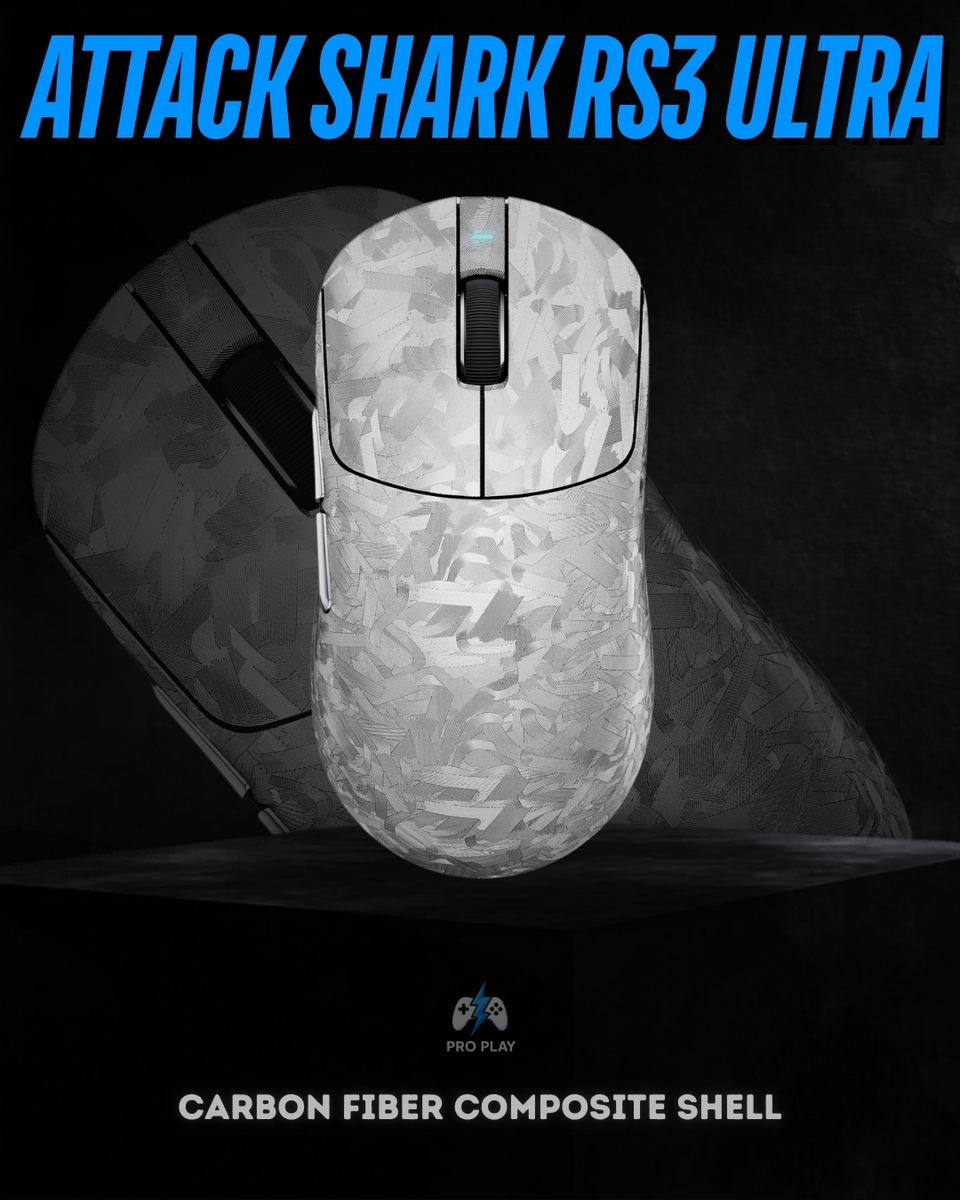
The RS3 Ultra combines a carbon fiber composite shell, a PixArt PAW3955MAX sensor, Omron optical main switches and up to 8,000Hz polling over wired and 2.4GHz wireless connections. It also includes Bluetooth 5.2, adjustable lift-off distance and a metal scroll wheel with a TTC Gold encoder.
Does the Attack Shark RS3 Ultra support 8K polling in both wired and wireless modes?
Yes. It supports up to 8,000Hz through its wired connection and supported 2.4GHz wireless setup. Bluetooth is a separate connection mode and should not be used when you want its maximum gaming polling rate.
What is the difference between 1,000Hz and 8,000Hz polling?
At 1,000Hz, the reporting interval is 1 millisecond; at 8,000Hz, it is 0.125 milliseconds. These intervals describe how frequently the mouse can report input, not total click-to-screen latency. Higher polling can improve input smoothness, but the benefit depends on your computer, display and game. Lower settings can reduce system load and battery consumption.
Do I need to use the maximum 52,000 DPI?
No. The maximum DPI is an available sensitivity limit, not a recommended setting for every player. The RS3 Ultra supports 1-DPI adjustment steps, allowing you to choose a comfortable sensitivity and combine it with your preferred in-game settings.
What does adjustable lift-off distance do?
Lift-off distance determines how far you can lift the mouse before the sensor stops tracking the surface. The RS3 Ultra offers 0.7, 0.9, 1.2, 1.4 and 1.6mm settings. A lower setting can help limit unwanted cursor movement when lifting and repositioning the mouse.
Is the RS3 Ultra suitable for Valorant, Counter-Strike 2 and other FPS games?
Its adjustable sensor, optical main switches and high polling capability make it a relevant option for competitive FPS setups. However, comfortable shape, consistent frame rates and appropriate sensitivity settings also matter. The specifications alone do not guarantee better aim or improved results.
What is the RS3 Ultra made from, and how much does it weigh?
Attack Shark specifies a carbon fiber composite shell with Glass-feel Ice Coating and a weight of 63 ± 3g. Carbon fiber composite should not be confused with an all-metal body or a claim that the entire mouse is made from solid carbon fiber.
Will the RS3 Ultra suit my hand size and grip?
The mouse measures 125.6 × 62 × 40mm. Compare those dimensions with a mouse you already find comfortable, particularly its length and height. Palm, claw and fingertip comfort varies with hand size and personal preference, so no single grip style is guaranteed to suit every user.
What switches and scroll-wheel components does it use?
The main buttons use Omron optical microswitches rated for 100 million clicks. The scroll wheel is CNC-machined anodized metal and uses a TTC Gold encoder. The click rating is a manufacturer durability specification, not a guarantee of a particular number of years of use.
How long does the battery last, and how is it charged?
The verified battery capacity is 500mAh, and charging uses USB-C. Runtime depends on connection mode, polling rate and usage. A specific hours-per-charge figure is not included here because the supplied technical specifications do not establish a verified runtime under defined conditions.
Can I customize the RS3 Ultra without installing desktop software?
Attack Shark provides a web driver as well as downloadable software. Supported settings include DPI, polling rate, lift-off distance, button assignments and macros. Browser and connection requirements should be checked on the official driver page before configuration.
Does adjustable lift-off distance guarantee compatibility with every glass mousepad?
No. Lift-off distance controls when tracking stops as you raise the mouse; it is not a universal guarantee of surface compatibility. Tracking can vary with the mousepad's surface treatment. Check compatibility with your particular gaming glass pad rather than assuming the mouse will track on ordinary clear glass.